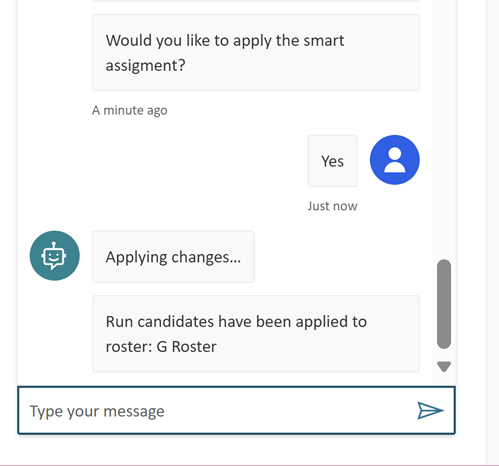
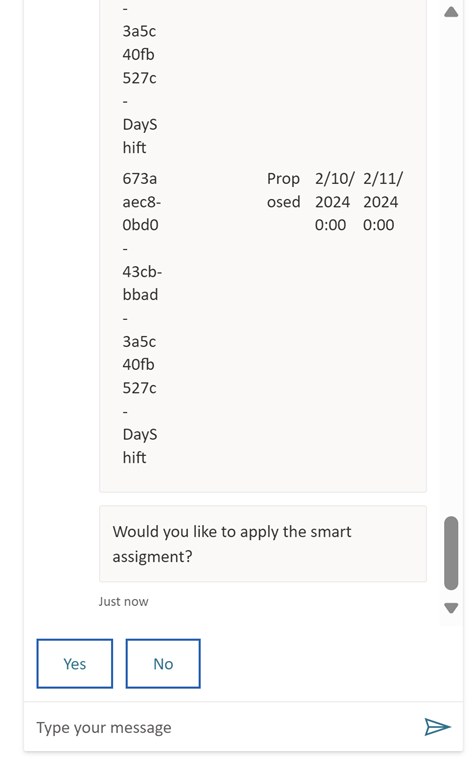
The PowerRoster Conversational AI streamlines two main functionalities, Resource Search and Smart Assign.
To access this, navigate to through PowerRoster > Settings > Early Access> Copilot Page
Resource Search
Resource Search empowers users to efficiently find resources based on specific criteria. Here’s how it works:
Name: Simply provide the resource name, and P.C. will retrieve relevant matches.
Territory: Specify a territory, and P.C. will display all resources associated with it.
From Date: P.C. can check for conflicts starting from a particular date.
Example Prompts and Responses:
Prompt: “Search resource”
Response: The first 100 resources are displayed.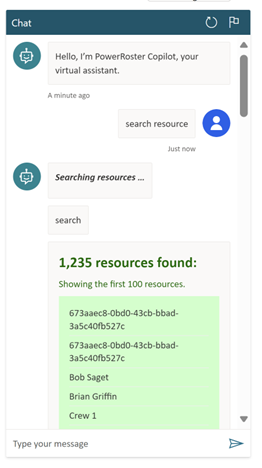
Prompt: “Search resource named Dean”
Response: Resource Dean is displayed.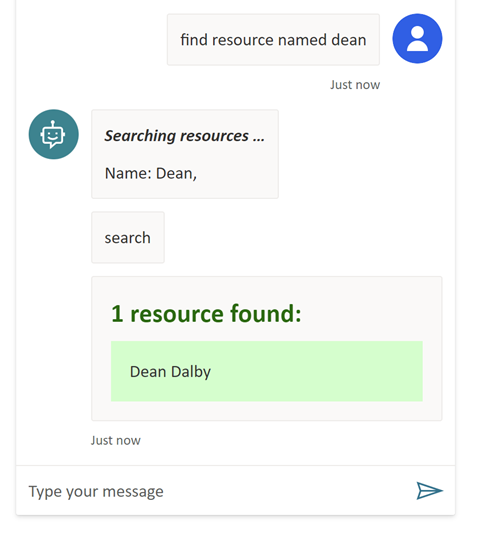
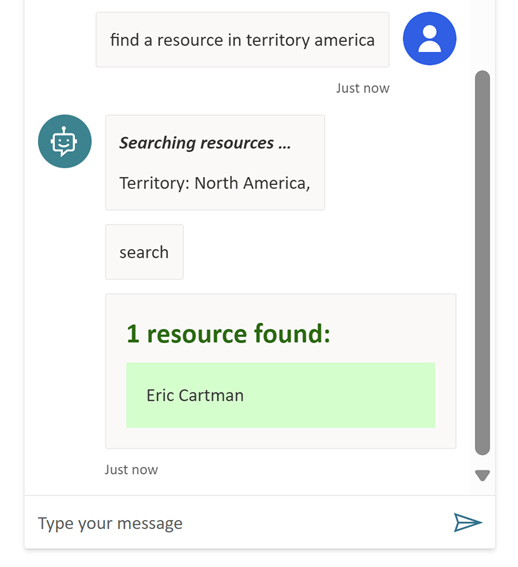
Prompt: “Find a resource in territory America”
Response: All resources in territories containing the word “America.”
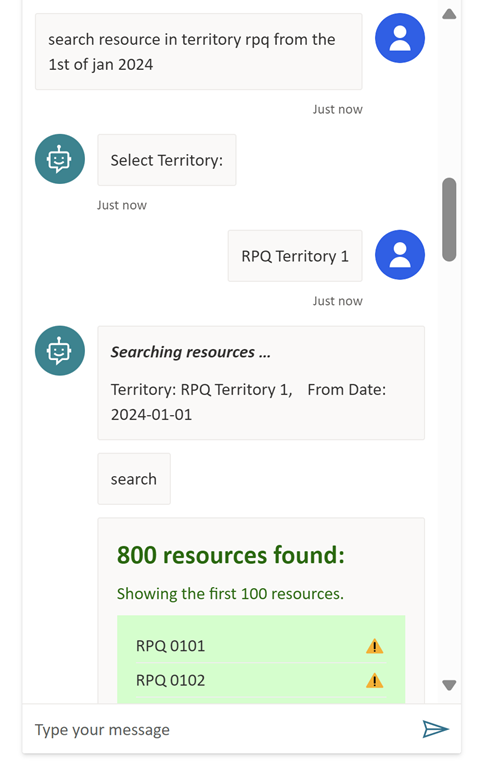
Prompt: “Search resource in territory rpq from the 1st of Jan 2024”
Response: Since there are multiple territories containing “rpq,” the user is prompted to select a territory from a list. Resources are then displayed, along with an icon indicating conflicts since the specified From Date (2024-01-01).
Smart Assign
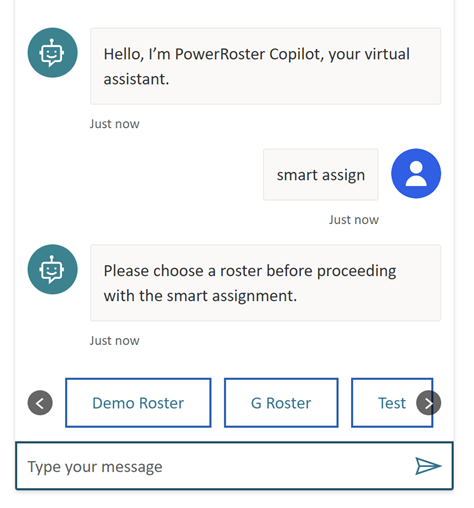
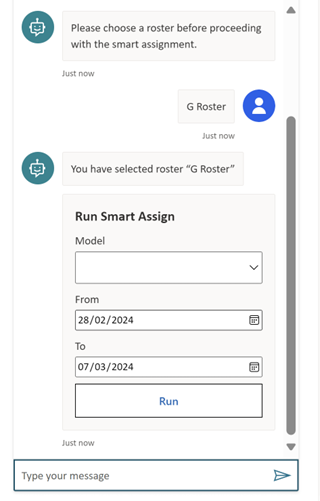
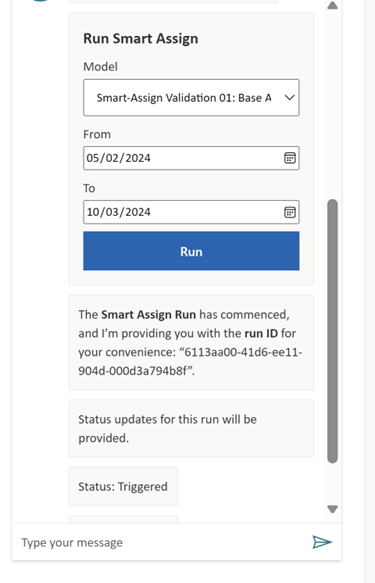
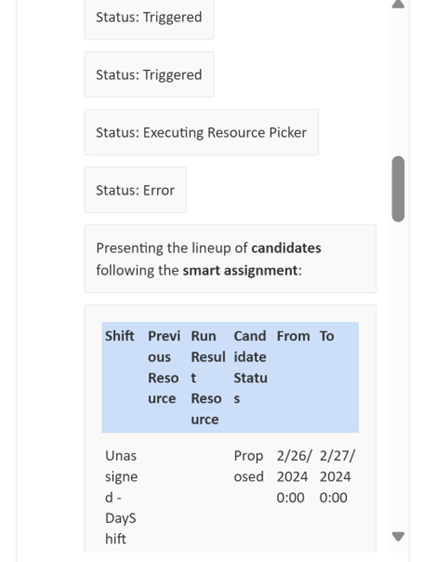
To trigger the roster Smart Assign functionality, simply type “smart assign.” Screenshots illustrate the typical flow of this feature.