Configuration for phone validation on Contact and Account within PwE
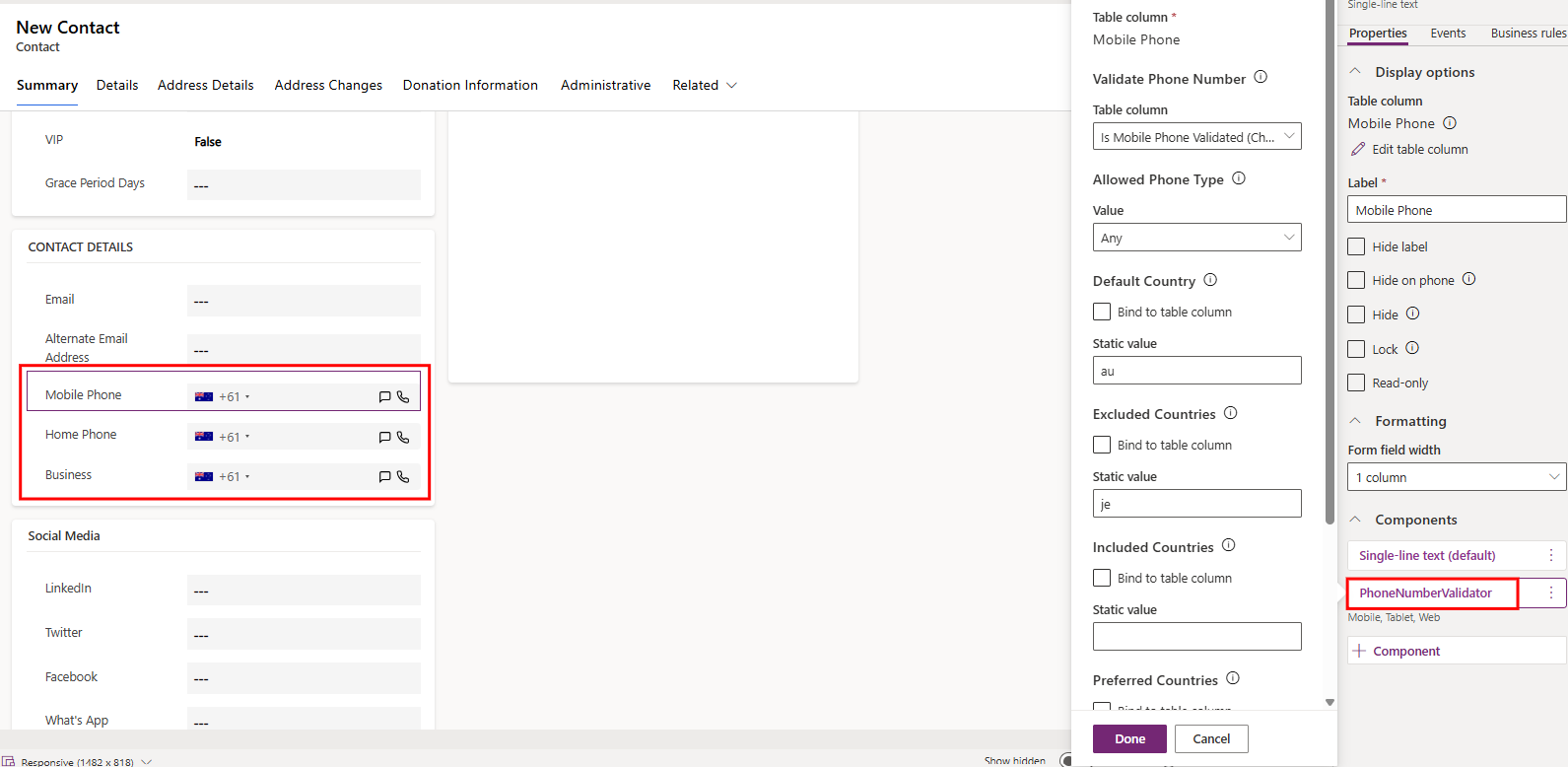
PwE offers out-of-the-box phone validation control for all phone number fields on the Contact and Account table. This can be achieved by adding the Form Component “PhoneNumberValidator” to the Form for the selected table, as shown below:
How to use phone validation for Contacts
Navigate to an existing Contact record or create a new one.
Locate the phone number field where the PhoneNumberValidator component is enabled.
Enter a phone number in the field.
If the number meets the required criteria for the selected preferred countries (such as phone number length, range, and area code), the phone number will be automatically formatted.
If the number does not meet the required criteria for the selected preferred countries, the system will identify it as invalid. If a phone number is invalid, PwE will display a helpful message beneath the phone number field to indicate the issue, while still allowing the record to be saved if required.
.png)
How to use phone validation for Accounts
Navigate to an existing Account record or create a new one.
Locate the phone number field where the PhoneNumberValidator component is enabled.
Enter a phone number in the field.
If the number meets the required criteria for the selected preferred countries (such as phone number length, range, and area code), the phone number will be automatically formatted.
If the number does not meet the required criteria for the selected preferred countries, the system will identify it as invalid. If a phone number is invalid, PwE will display a helpful message beneath the phone number field to indicate the issue, while still allowing the record to be saved if required
.png)