An Opportunity in PowerWorker Engage is a Contact, Organization or a Household that could be a potential donor.
Create a new Opportunity
Creating an Opportunity is a two-step process. The first step is to identify a potential donor or prospect for the pipeline using the Add to Discovery option. This option signifies that the donor could become a future opportunity. You can decide whether the individual in discovery should proceed as a real opportunity for your organisation.
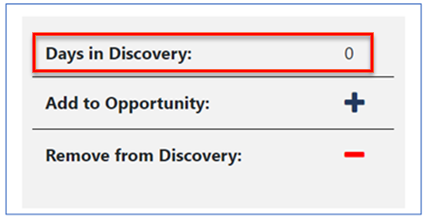
Once the prospect is identified as an opportunity, the second step is to add them to the opportunity process:
In the Contact or Organization record.
In the middle of the Summary tab, select Add to Opportunity to create a new Opportunity record.
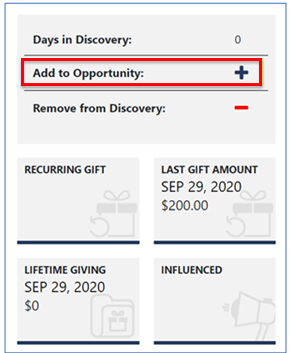
You can also add an Opportunity from the Opportunities View.
In the navigation pane, under Prospecting, select Opportunities.
In the view that opens, select New on the action pane.
Fill in the required fields, marked with a red asterisk (*).
Select Save on the action pane.
The Opportunity Business Process
The process of managing an Opportunity from beginning to end is tracked in the solution with a sequential series of stages.
The stages of the opportunity process are displayed at the top of the Opportunity form. They're interactive maps that show the workflow stages you go through to obtain a gift or grant. You can configure the process to match your organization’s opportunity workflow.
.png)
The process map shows each stage as a circle. A completed stage contains a check mark, and the current stage contains a dot. The left contains the number of days the Opportunity has been active.
To move between the different stages, on the process map select the stage, and then:
Select Next Stage to move forward, or
Select the back arrow (<) to move backward.
.png)
Example
This video demonstrates how to access an Opportunity record within the PowerWorker Engage application. It walks through viewing the Opportunity details and highlights the Business Process Flow used to track the progress of the Opportunity. This guide helps users understand how Opportunities are managed and monitored throughout their lifecycle.