Removing a Holiday Calendar from a Roster will stop the Roster Holidays from displaying in the calendar.
Navigate to PowerRoster App > Rosters > Rosters.
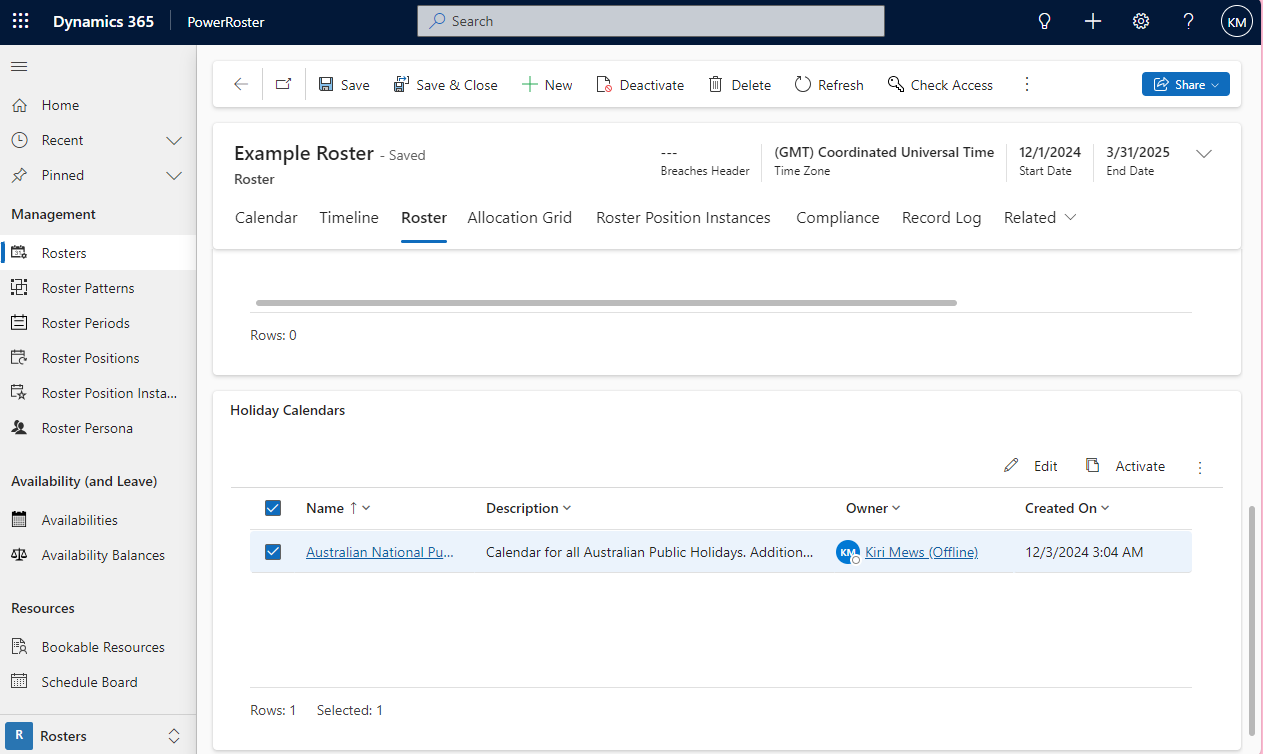
Scroll down to the Holiday Calendars and Select the appropriate Holiday Calendar.
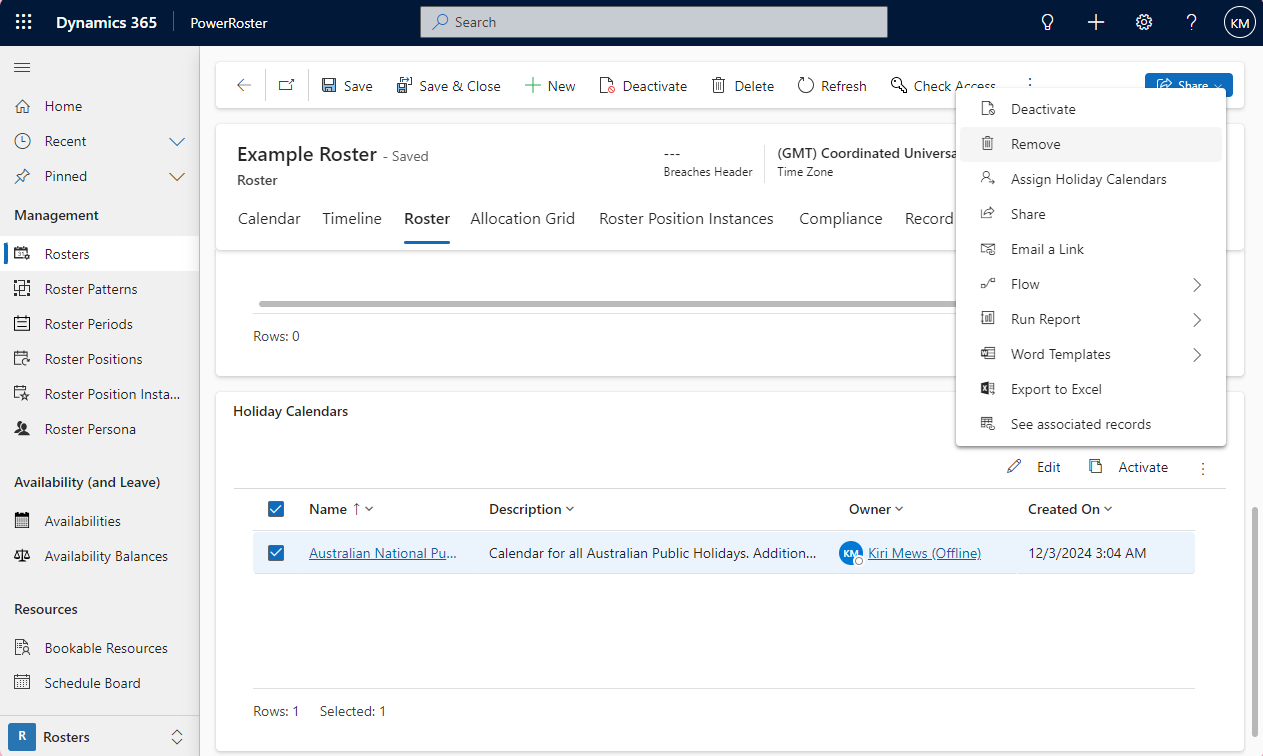
Select Remove.
For more details on setting up the holiday calendar, go to Holiday Calendar Settings.