The Compliance Notification dashboard provides a comprehensive view of compliance status with actionable insights, while an audit trail maintains detailed records of shift modifications and compliance actions for internal reviews and regulatory inspections.
The Compliance Notification offers real-time compliance monitoring by continuously tracking shift schedules against organisational regulations and providing instant alerts for potential issues.
It implements automated rule checks aligned with legislative requirements, reducing manual effort and errors. The module supports customisable rule sets tailored to industry and location-specific needs, ensuring strict adherence to applicable laws.
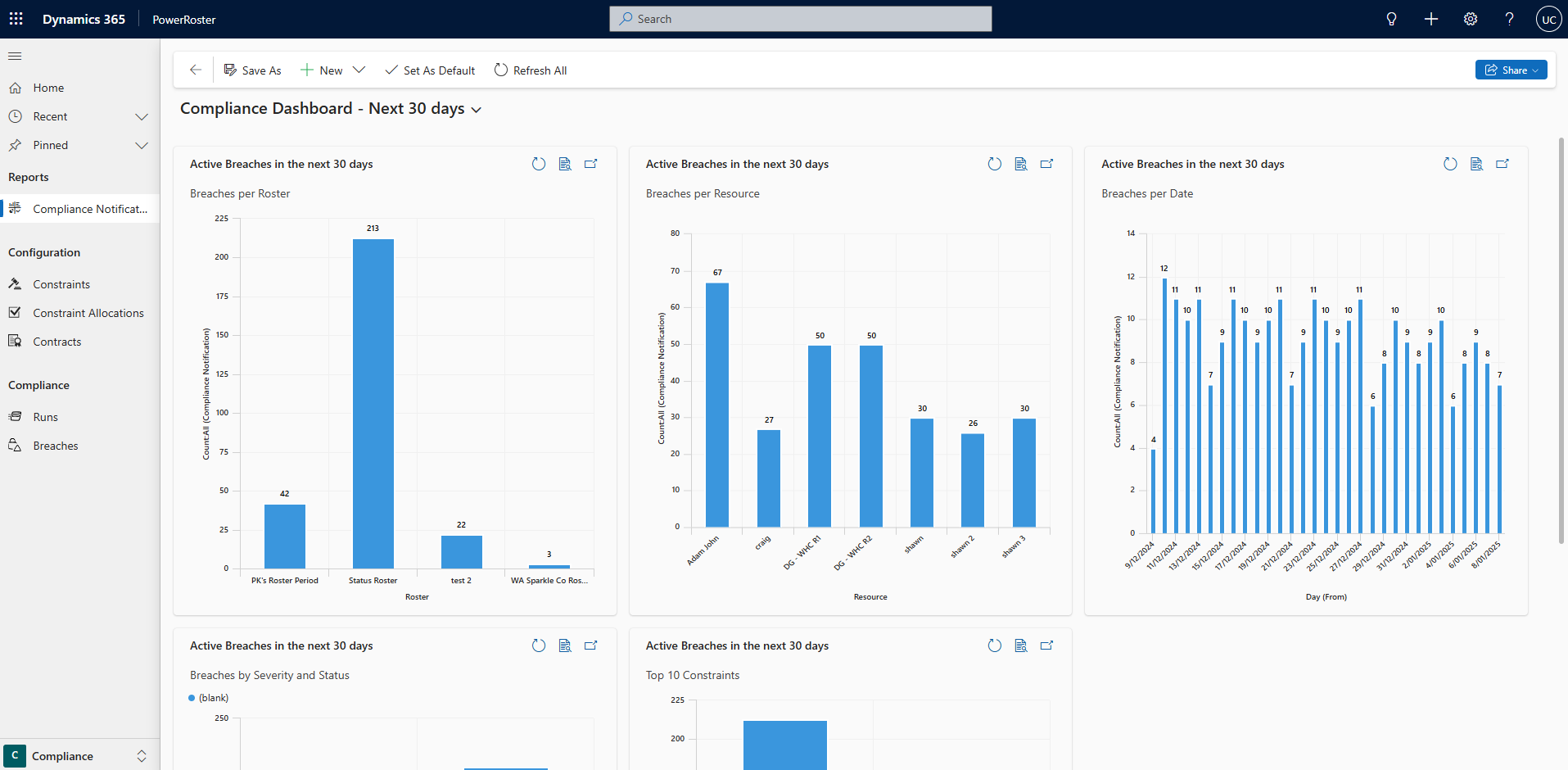
The Compliance Dashboard consists of five charts:
Breaches per Roster - This chart displays the total number of breaches in the next 30 days for each active Roster.
Breaches per Resource - This chart displays the total number of breaches in the next 30 days for each active Resource.
Breaches per Date - This chart displays the total number of breaches in the next 30 days split by each date that has an active breach.
Breaches by Severity and Status - This chart displays the total number of breaches in the next 30 days, split by Severity and Status.
Top 10 Constraints - This chart displays the total number of breaches in the next 30 days, split by the type of Constraint. Only the top 10 Constraints with the highest count are displayed in the chart.
The user can click on the Compliance Dashboard heading at top to change the Dashboard and view charts for the Rosters they follow.
Information
The Compliance Dashboard displayed above is the default view. The dashboard can be customised to include different or more reports and charts.