The Compliance Engine pushes the constraint breach data into a data store within PowerRoster. The user can view the breaches via Power Platform dashboards or Out of the Box Dashboards.
The real-time Compliance Engine displays a dialogue box with the breach information when a Compliance Run is completed. The Compliance Engine will then push the breach information to the Breaches table. The user can then view the Compliance Notification or Breaches flagged by the Compliance Engine.
View a Breach Record
Users can view breach records by clicking on the View Records button on any chart. This will display all the breach records that have been represented in the chart.
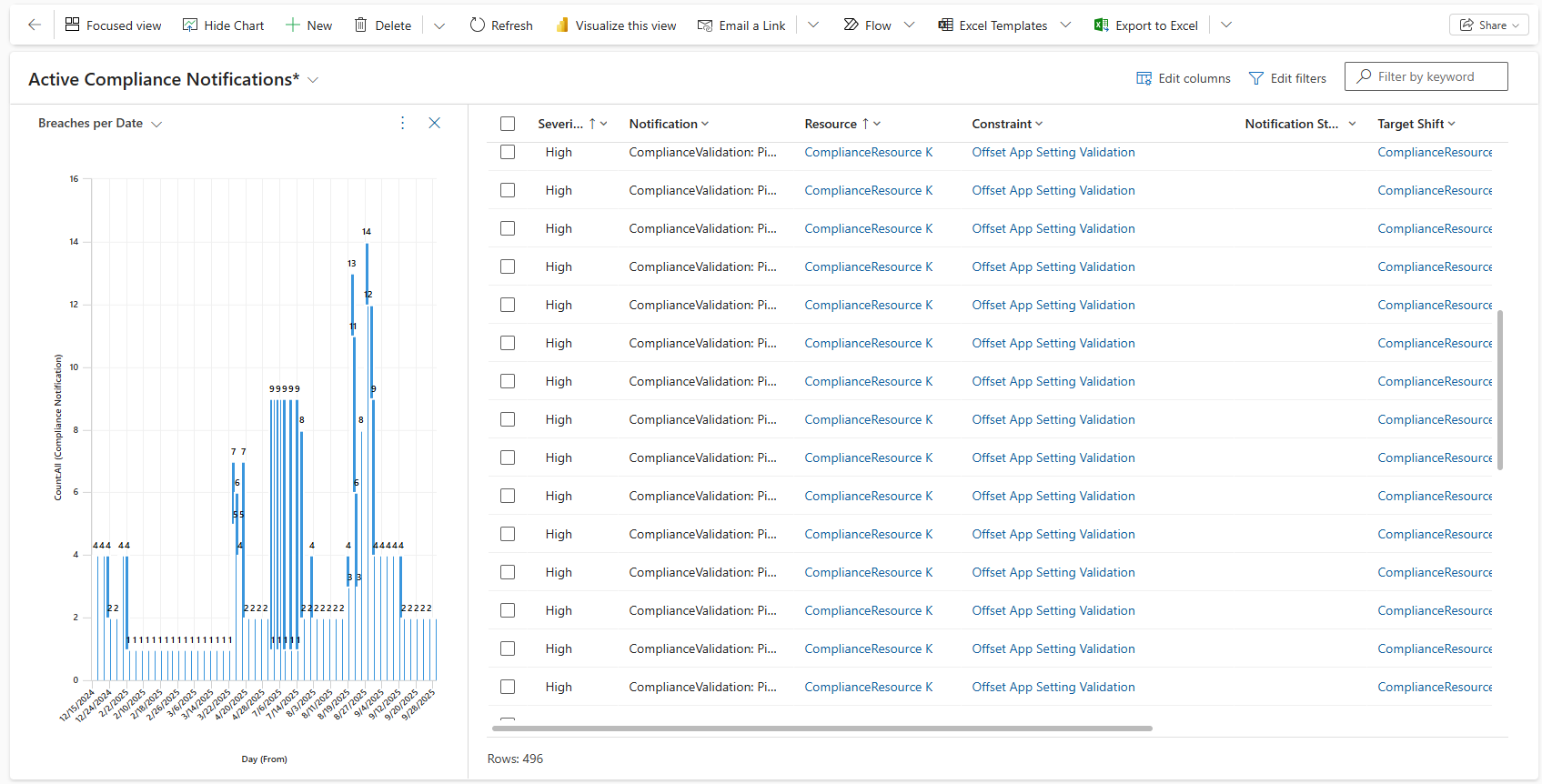
Click on any row to open the breach record. This will open the record and display all the breach details. The breach record displays all the required details required to understand the breach.
The Constraint and Rule fields mention the reason for the breach. Users can either fix a breach or can dismiss it if it’s not relevant.
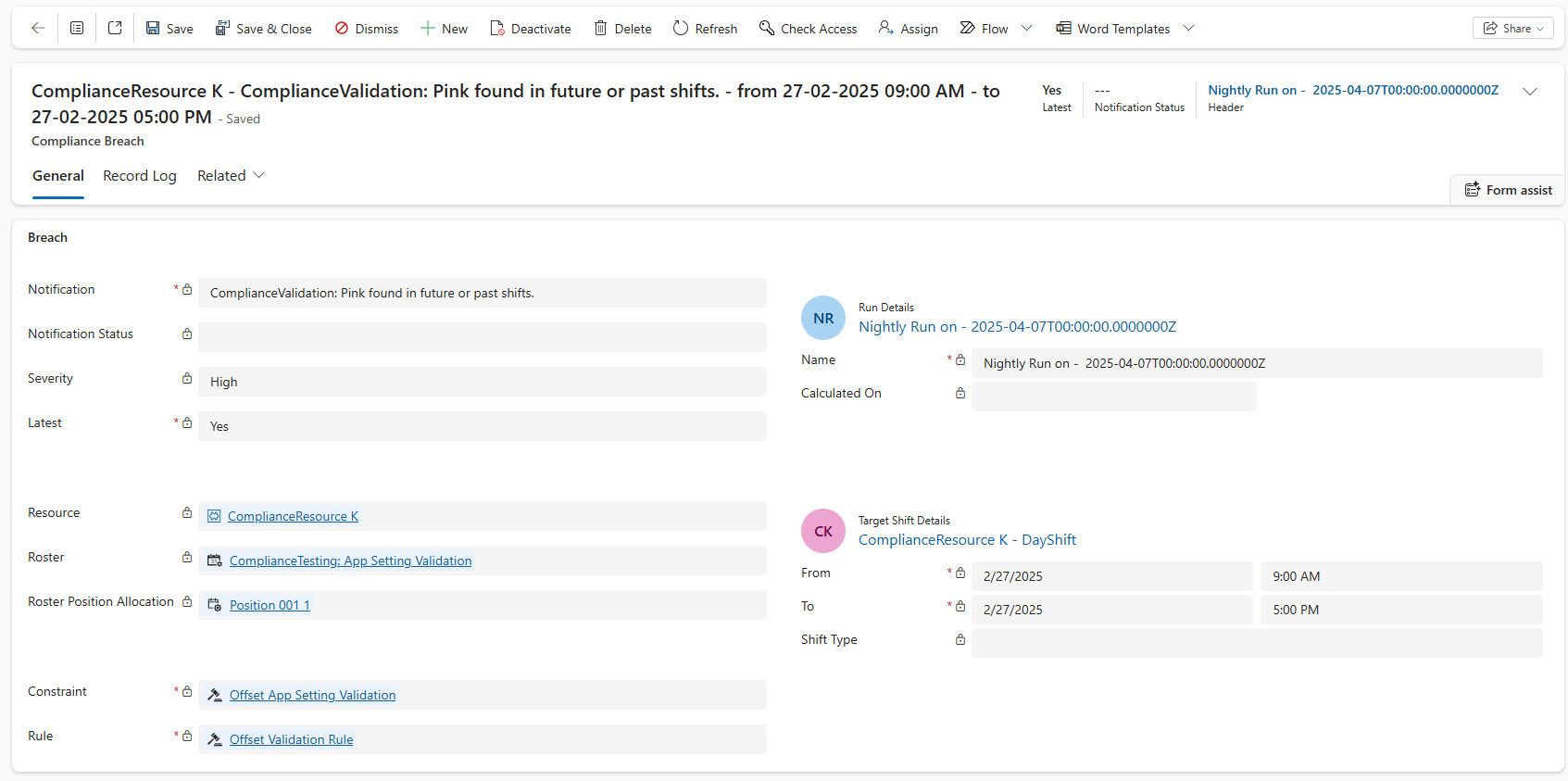
A breach can be dismissed by clicking the Dismiss button on the Command Bar for that breach. Clicking the Dismiss button will fix the current Breach but will also ignore any future breaches for the same constraint and shift.
Alternatively, breaches can be fixed by updating shift data or record data for a particular resource or breach. For example, if the breach was detected because a resource accidentally entered the wrong clock off time, the user can change the time and fix the breach.
Breach records can also be accessed from the Breaches entity in the Compliance area. This view displays all Compliance Notifications created by the system. Users can filter these breaches by changing the view. To view details of a breach, click on any record to open it.
Dismiss a Breach
PowerRoster Release 8.2 brings changes to the breach dismissing workflow. They have been explained below.
Provide a Dismiss Reason
A user will not be allowed to dismiss a breach record without providing a Dismiss Reason.
Clicking on the Dismiss button on a breach record will now open a window where the user will be prompted to enter a Dismiss Reason. If the user tries to save and close this window, an error will be displayed as indicated in the screenshot below.
Error - “Dismiss Reason : Required fields must be filled in.“
.png)
Restore a Dismissed Breach
In the case that a breach record has been dismissed accidentally, the record can be restored using the Restore Dismiss button.
Click on Restore Dismiss in the command bar.
Click on Yes to confirm the restore.
This will restore the breach record and can be acted upon or fixed as necessary.
.png)
Video Walkthrough
The following video demonstrates how to view Compliance Breaches for a Compliance Run. In this use case, two breaches are notified to the user:
Shift is longer than 8 hours
Shift is not of type Day Shift
The breaches are notified because of the Resource and Constraint Allocation combination.