PwE enables seamless connectivity with Facebook and Instagram, allowing organisations to capture leads directly from social media campaigns and advertisements.
This integration ensures that data collected from the Meta platforms flows automatically into PwE, eliminating manual data entry and reducing delays in follow-up. With this feature, fundraising and donor support teams can leverage social media engagement to grow their supporter base and respond quickly to inquiries or interest generated through campaigns.
Prerequisites for Meta integration
Prepare your Meta Lead Generation form. Ensure you know the Logical names from the following:
Meta Fields from the Meta form.
Lead table fields from PwE.
Link your form in PwE
Navigate to the Configuration area, under the Integration heading, select Meta Forms.
Select +New to create new Meta Form.
Enter a Name and the Meta Form Identifier (found on the instant form in your Meta business account). Select the Save button in the command bar to save your form.
.png)
Add custom field mappings to your form
On the new Meta Form record, select the +New Meta Form Custom Field button.
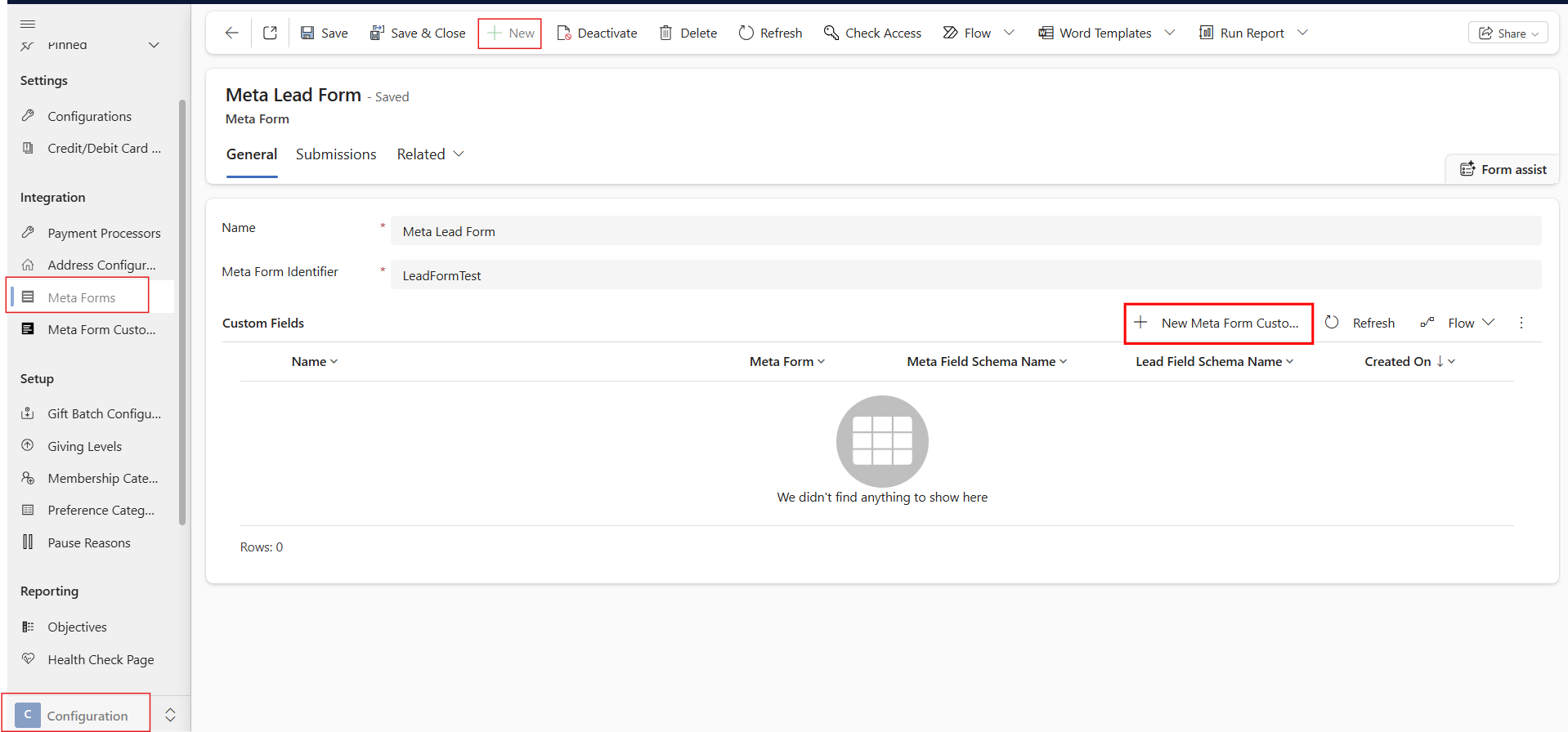
For each field on the Meta Form, you must map it to a field on the Lead table to ensure the data is being captured in the intended fields. You may map the meta field to more than one lead field.
.png)
The following mappings are provided out of the box
Lead Field Schema Name
Meta Field Schema Name
companyname
company_name
emailaddress1
email
firstname
first_name
lastname
last_name
jobtitle
job_title
mobilephone
phone_number
telephone1
work_phone_number
address1_city
city
address1_country
country
address1_stateorprovince
state
address1_line1
street_address
address1_postalcode
post_code