When processing does not complete successfully, Rapido records information that can be used to identify where the failure occurred.
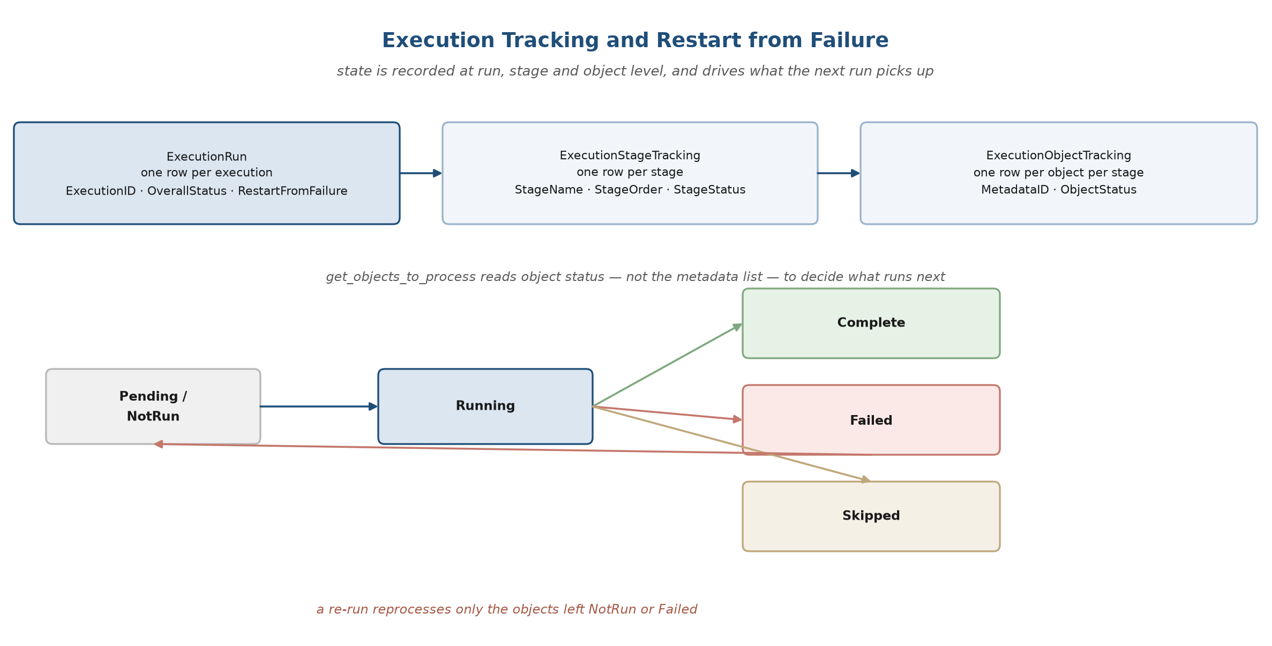
Processing status is tracked at:
Run level
Stage level
Object level
Identify the affected processing
Each run has an Execution ID that can be used to trace its processing activity.
Run, stage and object statuses help identify which objects completed and which failed or were not processed.
Restart processing
Rapido's restart procedure can select failed or unprocessed objects while retaining completed work within the applicable execution scope.
This can avoid unnecessarily repeating processing that has already completed.
Considerations before restarting
Safe recovery depends on the processing behaviour of the affected object.
Before reprocessing an object, consider:
How the object writes data
How watermarks are handled
Whether repeating the processing produces a safe result
These behaviours need to be validated for the applicable load pattern.
Important: Do not assume that every failed process can simply be rerun. Follow the documented restart procedure for the applicable load pattern.