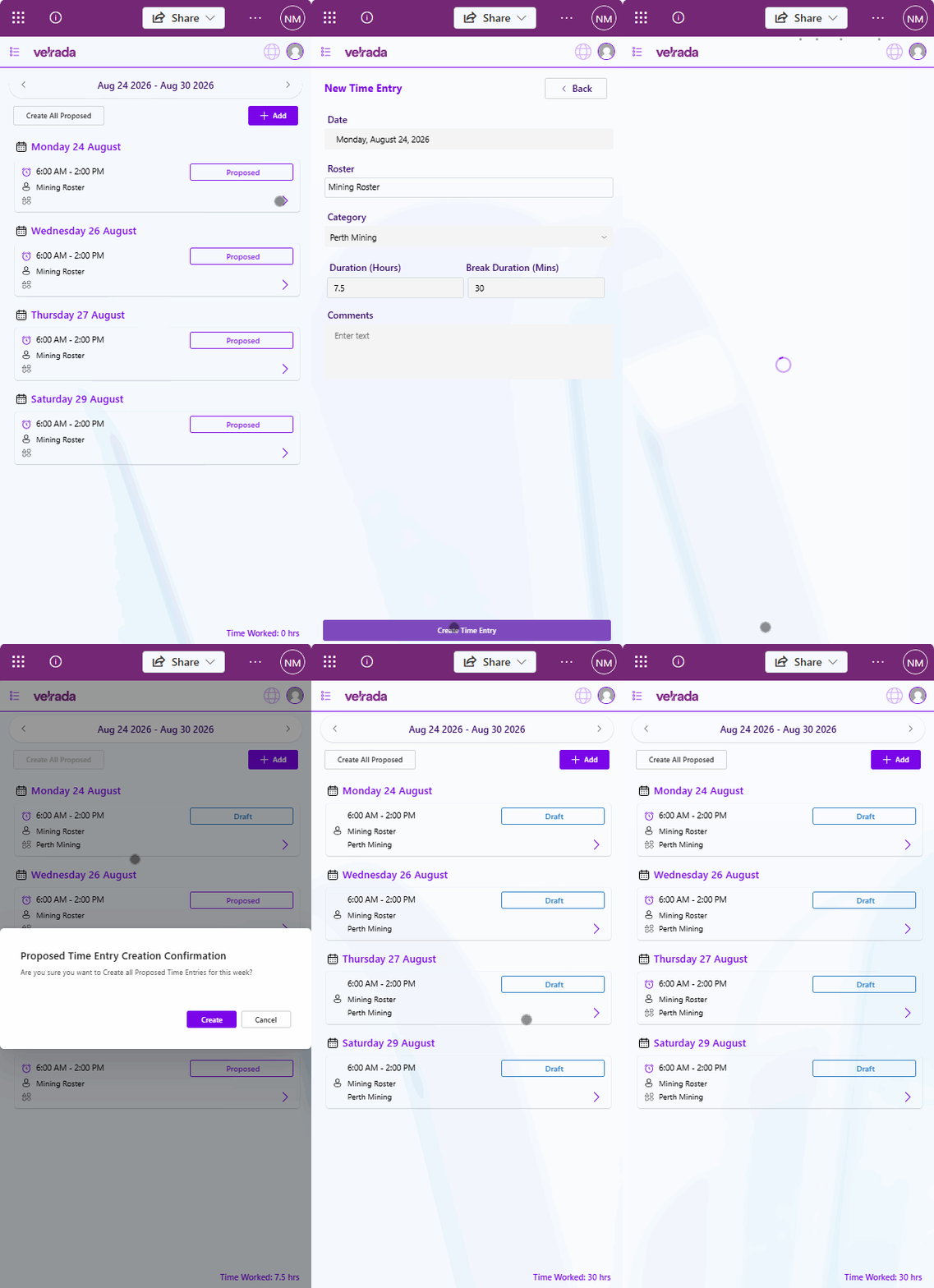
Proposed Time Entries on the Frontline App are created by the system if you have rostered shifts for the selected week, but no corresponding time entry records.
Create all Proposed Entries
To create all proposed entries:
Click Create All Proposed at the top of the screen.
All proposed entries for the selected week will be created with a status of Draft.
.png)
Once created, the Time Worked summary at the bottom of the screen will automatically update to reflect the total hours worked for that week.
Create an Individual Proposed Time Entry
If you only wish to create a specific proposed entry rather than all entries:
Select the proposed time entry you would like to create.
.png)
The Time Entry Form will open.
Review and update the details as required.
Select Create Time Entry at the bottom of the form.
.png)
The selected proposed entry will be created and saved as a Draft time entry..png)
Video Walkthrough