Create New Time Entry
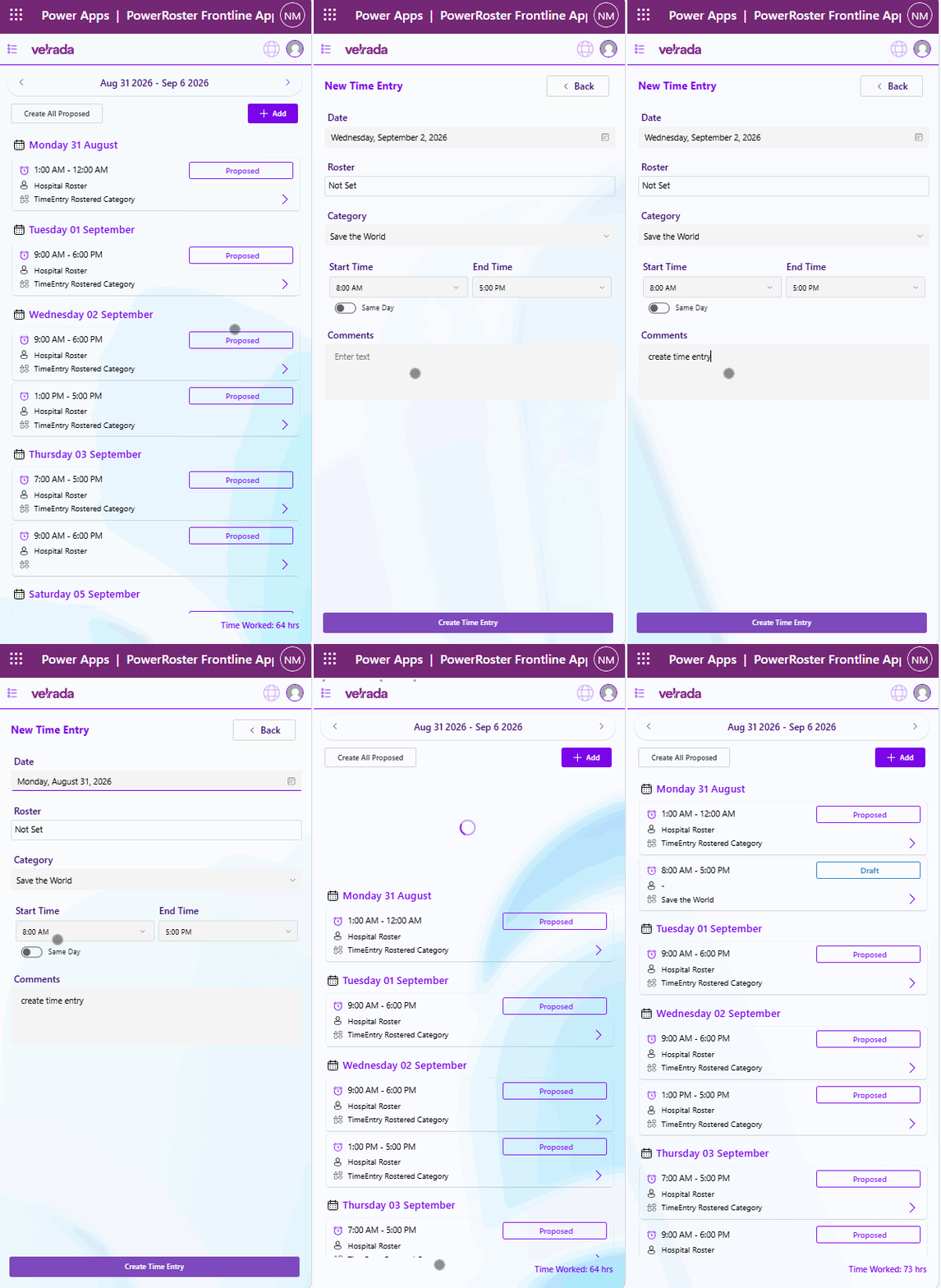
To create a new time entry, the user must click on the add button on the time To create a new time entry manually:
Select the Add button on the Time Entry screen.
.png)
The New Time Entry Form will open.
The following fields will be populated with default values:
Date (defaults to today's date)
Category
Time
.png)
Update the information as required.
Select Create Time Entry.
The new time entry will be created and saved as a Draft entry
.png)
Video Walkthrough